QR Codes in Education: Classroom and Campus Applications
Explore how QR codes enhance learning experiences. Cover classroom resources, campus navigation, student services, and engagement strategies.


QR codes have found a natural home in education, bridging physical learning spaces with digital resources. From elementary classrooms to university campuses, they're streamlining operations, enriching curriculum, and engaging students in new ways.
This guide explores practical applications of QR codes across educational settings, with implementation strategies for educators and administrators.
Classroom Learning Applications
Transform lessons with digital enrichment:
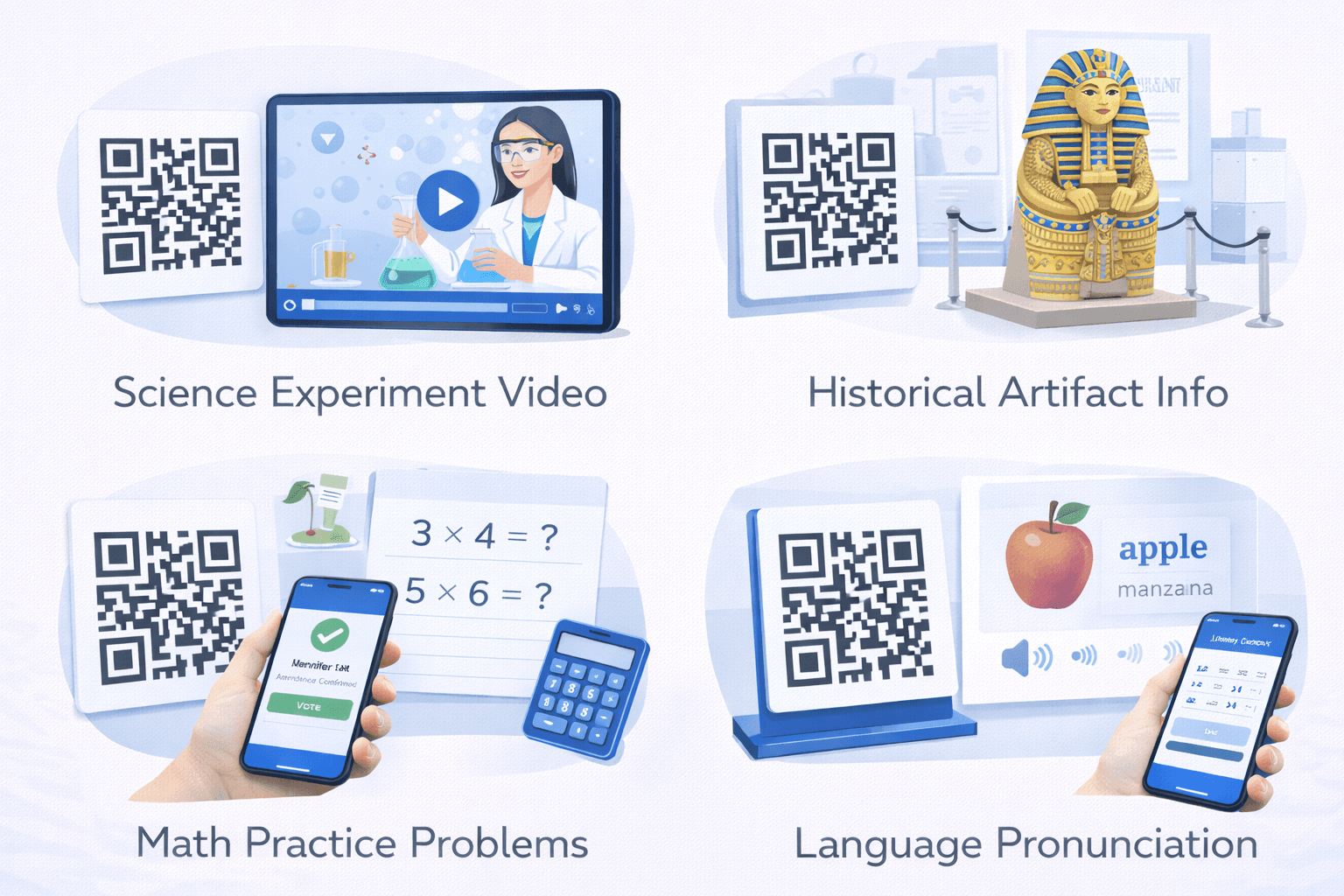
Supplementary resources: - Textbook pages link to video explanations - Worksheets connect to interactive practice - Posters reveal extended content - Lab equipment links to procedure guides
Student work and portfolios: - Physical projects link to digital documentation - Art displays connect to artist statements - Science fair boards link to data and methodology - Performance recordings from QR codes on programs
Differentiated instruction: - Multiple QR codes for different learning levels - Choice boards with various resource links - Extension activities for advanced students - Additional support materials for struggling learners
Assessment and feedback: - Exit tickets via QR code forms - Quiz access without typing URLs - Self-assessment rubrics - Immediate feedback mechanisms

Library and Research
Enhance library services and research:
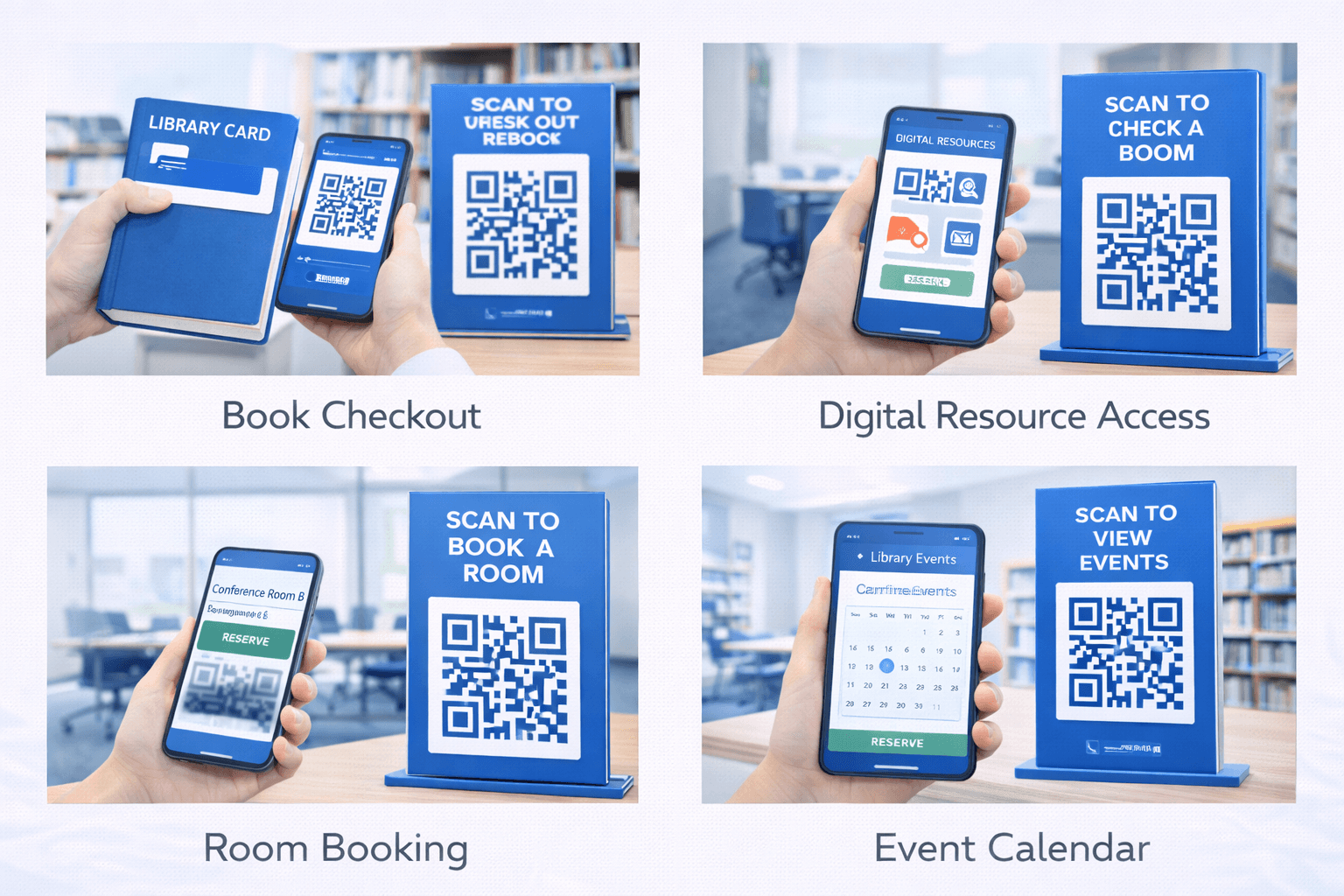
Physical to digital connection: - Shelf labels link to online catalog - Book displays connect to ebook versions - Research guides accessible from subject areas - Citation help available at writing stations
Research support: - QR codes on bibliographies link to sources - Database access from relevant locations - Research appointment scheduling - Tutorial videos for research skills
Collection enhancement: - Author websites and interviews - Book club discussion questions - Related readings and recommendations - Audiobook and accessibility versions
Space utilization: - Room reservation from study spaces - Equipment checkout procedures - Printing instructions at printer stations - Feedback collection on library services
Campus Navigation and Information
Help students and visitors find their way:
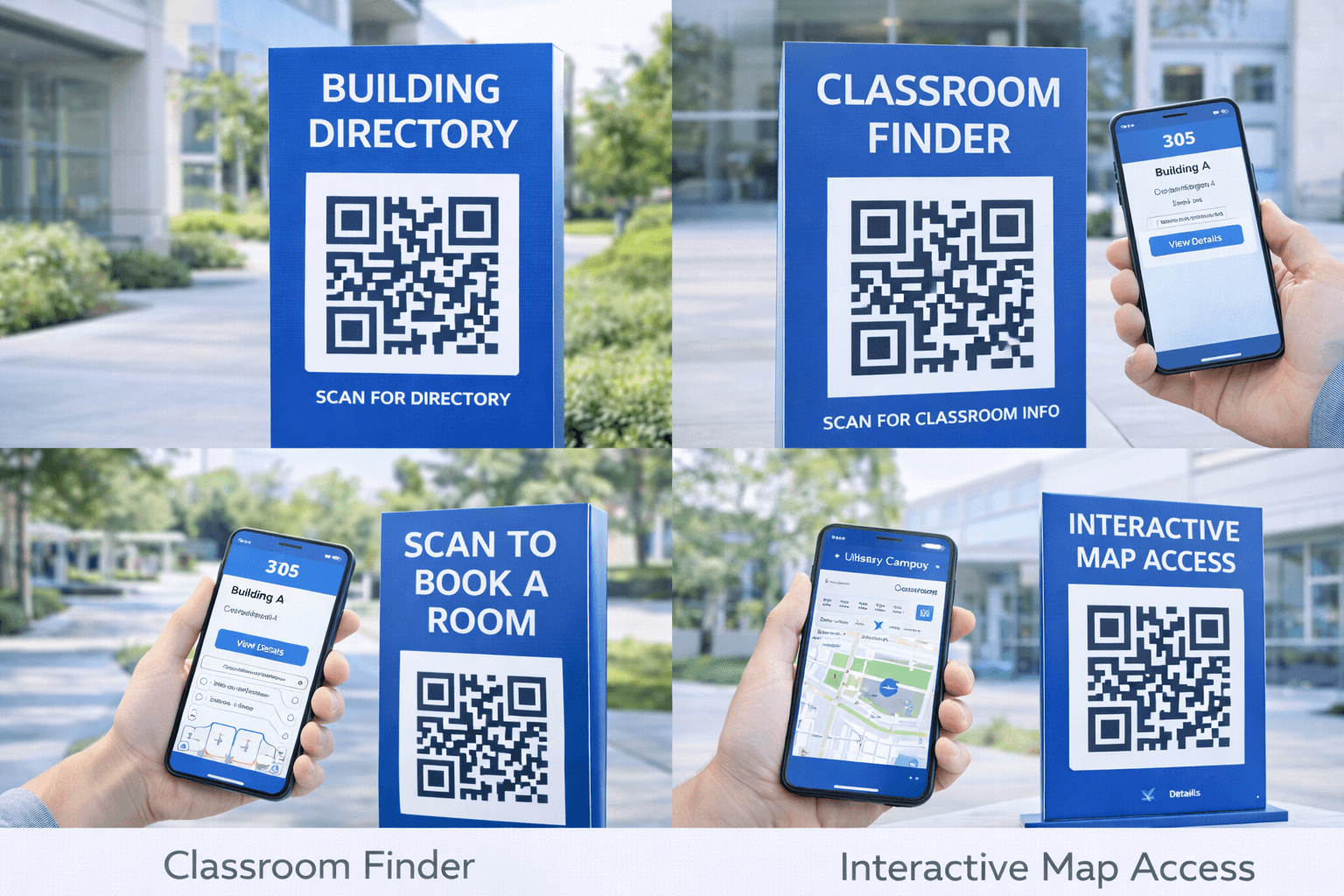
Wayfinding: - Building directories with interactive maps - Room-specific information at doorways - Accessibility route guidance - Emergency exit routes and procedures
Building information: - Department office hours and contacts - Building history and notable features - Sustainability features and initiatives - Art and exhibit descriptions
Event and scheduling: - Room schedules accessible at doors - Event details on posters - Calendar integration for upcoming events - Registration for campus activities
Visitor services: - Self-guided campus tours - Parking information at lots - Visitor check-in procedures - Welcome center resources
Pro Tip
Place QR codes at decision points where people might be confused or need information. Elevator lobbies, building entrances, and intersections are ideal locations.
Student Services Integration
Streamline administrative processes:
Registration and enrollment: - Course registration shortcuts - Prerequisite verification - Advisor appointment scheduling - Add/drop procedures
Financial services: - Tuition payment portals - Financial aid information - Scholarship applications - Payment plan enrollment
Health and wellness: - Health services appointment booking - Counseling center resources - Fitness center schedules - Nutrition information in dining halls
Career services: - Resume upload and review - Job and internship postings - Career counseling scheduling - Interview preparation resources
- Reduce lines at service offices with QR-based self-service
- Make information accessible 24/7 via QR codes
- Track which services have highest QR engagement
- Update information instantly without reprinting materials
- Connect physical notices to detailed online resources
Attendance and Engagement
Track participation and increase interaction:
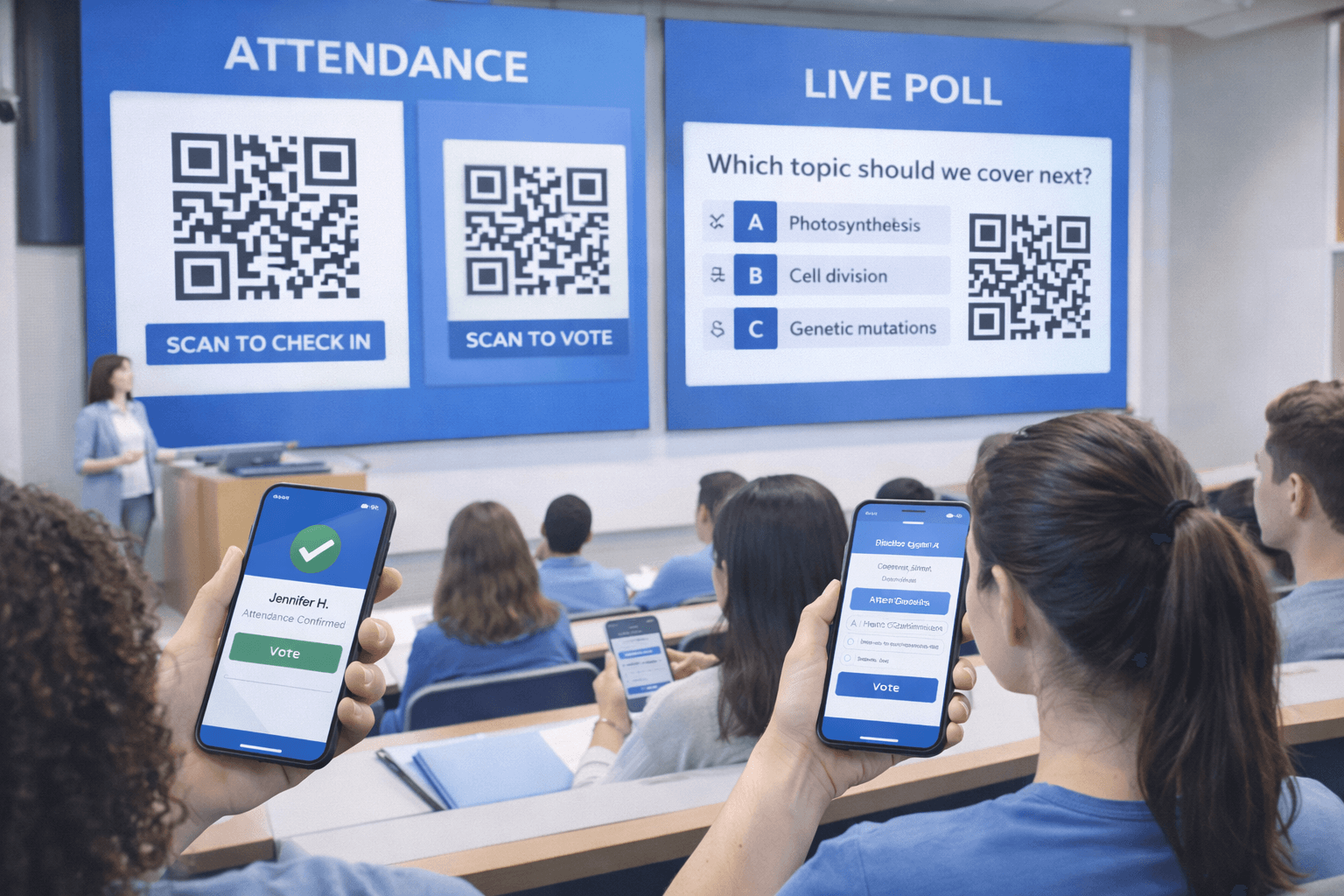
Attendance tracking: - Students scan to check in to class - Event attendance logging - Workshop participation records - Study session documentation
Class participation: - Real-time polling and quizzes - Discussion board access - Question submission (anonymous option) - Peer feedback systems
Engagement incentives: - Points or rewards for scanning - Scavenger hunt activities - Gamification of learning objectives - Competition between sections
Data collection: - Understanding which resources are used - Peak engagement times - Popular content identification - Improvement opportunity recognition
Safety and Emergency Preparedness
Enhance campus safety communications:
Emergency information: - Building evacuation procedures - Assembly point locations - Emergency contact information - First aid supply locations
Safety training: - Lab safety protocols - Equipment operation procedures - Chemical handling guidelines - Emergency response tutorials
Reporting systems: - Incident reporting forms - Maintenance request submission - Safety concern reporting - Anonymous tip lines
Ongoing communication: - Emergency notification signup - Weather closure information - Campus alert subscription - Safety resource library
Important
QR codes for safety information should always have backup methods (posted procedures, staff awareness) since phones may not be available in emergencies.
Implementation Considerations
Plan for successful educational QR deployment:
Device access: - Not all students have smartphones - Provide classroom devices for scanning - Consider equity implications - Offer alternative access methods
Privacy and data: - FERPA compliance for student data - Clear privacy policies - Parental consent for minors - Data minimization practices
Content management: - Who updates linked content? - How are outdated codes handled? - What's the approval process? - Who maintains the system?
Training needs: - Faculty professional development - Student orientation to system - Staff training for support - Ongoing refresher training
Technical infrastructure: - Reliable campus WiFi - Support for various devices - Analytics and tracking systems - Integration with existing platforms
- Assess device availability across student population
- Develop clear policies for QR code use and data
- Create content management procedures
- Train all stakeholders before rollout
- Plan for accessibility and alternatives
- Establish metrics for measuring success
Success Stories and Ideas
Inspiration from educational implementations:
Elementary school: A reading corner where each book has a QR code linking to author read-aloud videos, book trailers, and extension activities.
High school science: Lab equipment with QR codes linking to safety procedures, video demonstrations, and troubleshooting guides.
University campus: Self-guided historical tour of campus with QR codes on buildings revealing stories, photos, and notable alumni.
Library system: QR codes on every shelf section linking to subject librarian contacts, research guides, and relevant databases.
Student services: One-stop QR code in every residence hall connecting to mental health resources, emergency contacts, and support services.
Career center: QR code on every job posting board linking to the full online database and resume upload portal.
Conclusion
QR codes in education solve a fundamental challenge: connecting physical learning spaces with the vast digital resources that enhance education. They make supplementary content accessible, streamline administrative processes, and provide data that helps improve operations.
Success requires thoughtful implementation: ensuring device access, maintaining content, training users, and always providing alternatives. But the payoff is significant—richer learning experiences, more efficient processes, and better engagement data.
Start with high-impact, low-complexity applications: linking to supplementary resources, providing navigation assistance, or streamlining a particular service. Build from there as comfort and infrastructure develop.
Ready to Create Your Own QR Codes?
Start creating dynamic QR codes for your business today. Track analytics, update content anytime, and never reprint again.
Related Articles
QR Code Menus for Restaurants: The Complete Setup Guide
Step-by-step guide to implementing QR code menus in your restaurant. Covers menu design, placement, customer experience, and common mistakes to avoid.
QR Codes for Events: Conferences, Trade Shows, and Beyond
Comprehensive guide to using QR codes at events. Cover check-in, networking, exhibitor engagement, and post-event follow-up.
QR Codes on Product Packaging: Engaging Consumers Beyond the Shelf
Transform product packaging into an interactive experience. Learn strategies for using QR codes to provide information, build loyalty, and drive engagement.